

URL Finder Engine Overview
The URL Finder Engine searches for the most relevant URLs using text-based Google Search, reverse image lookup via Google Lens, or both. It returns URLs with titles, snippets, and AI-scored relevance ratings.Engine Inputs
The URL Finder Engine Configuration has the following parameters:- search_term: optional. Search engine query to find relevant URLs. Required if search_image is not provided.
- search_image: optional. Image URL (http/https) or file identifier (file_*) for reverse image lookup using Google Lens. When provided, performs visual search.
- description: required. Description of the target URLs to be included in the search results. Used to score relevance.
- search_limit: optional. Maximum number of search results to analyze (default: 5, range: 1-100).
- top_results: optional. Number of best matching URLs to return (default: 1, range: 1-100). Must be less than or equal to search_limit.
- model: optional. The AI model to use for relevance scoring (default:
gpt-5.1-2025-11-13).
At least one of search_term or search_image must be provided.
Engine Output
The output is a structured list of discovered URLs with metadata:Example Usage
1
Create an Agent
Click on the “Add Agent” button in the top right corner of the Agents page.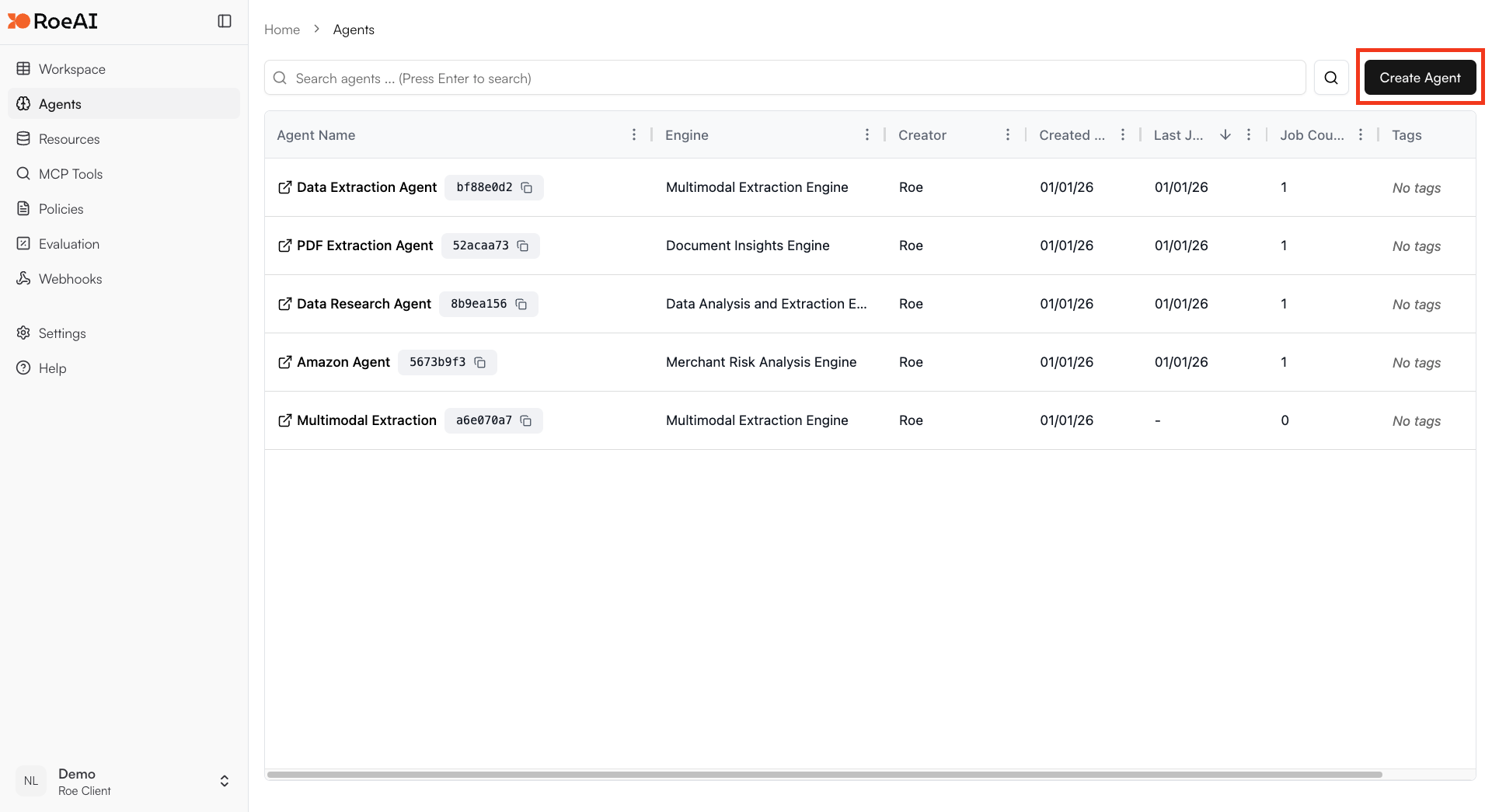
2
Select the URL Finder Engine
3
Configure the engine
$ starts a template string
- search_term: $search_term
- description: Find the official product page for this item
- search_limit: 10
- top_results: 3
4
Create the Agent
Hit the Create button.
5
Run a job
Create a new job and provide a search term or image to find relevant URLs.
Use Cases
- Product matching: Find product pages matching a description or image
- Reverse image search: Find the source of an image using Google Lens
- Web crawling: Discover relevant pages for further processing
- Content discovery: Find pages matching specific criteria
- Data pipeline input: Generate URL lists for batch processing with other engines