

Research Agent Engine Overview
The Research Agent Engine leverages AI-powered search providers to conduct comprehensive web research. It can search the web, synthesize information from multiple sources, and return structured insights with source citations.Engine Inputs
The Research Agent Engine Configuration has the following parameters:- prompt: required. The research query or question to investigate.
- provider: optional. The search provider to use (default:
perplexity). Options:perplexity: Perplexity AI search (general web, conversational)exa: Exa AI-powered semantic search (structured/academic)
- use_deep_search: optional. Enable deep search for more comprehensive results (default: False). Higher cost but more thorough.
- include_sources: optional. Include source URLs in the response (default: True).
- output_schema: optional. JSON schema for structured response format. For Exa, providing a schema routes to the Research API; for Perplexity, schemas work with standard or deep search.
Engine Output
The output includes researched information with optional source citations. When an output schema is defined, the response will match that structure.Example Usage
1
Create an Agent
Click on the “Add Agent” button in the top right corner of the Agents page.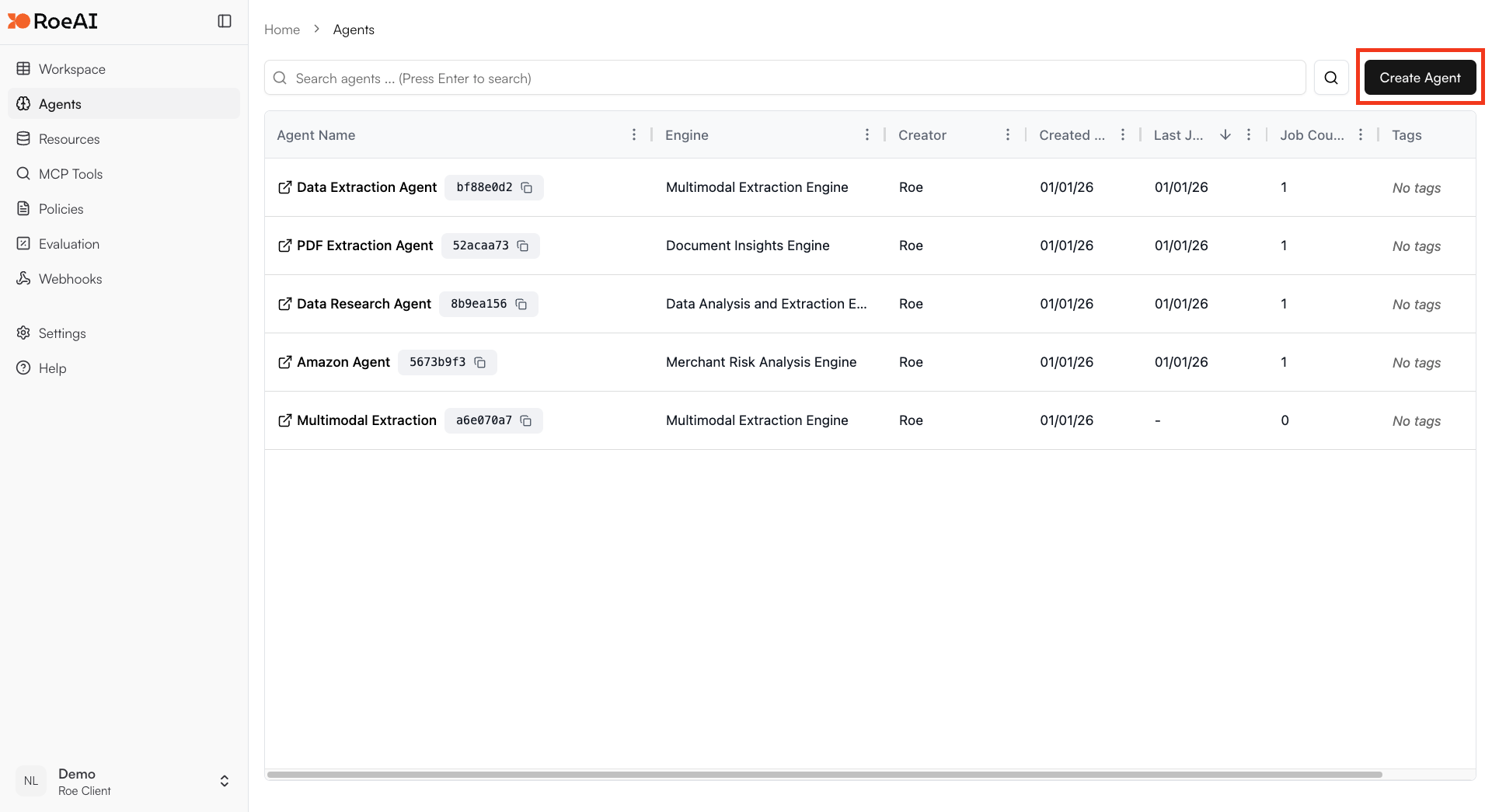
2
Select the Research Agent Engine
3
Configure the engine
$ starts a template string
- prompt: $prompt
- provider: perplexity
- use_deep_search: False
- include_sources: True
- output_schema: Copy and paste the JSON schema below:
4
Create the Agent
Hit the Create button.
5
Run a job
Create a new job and provide a research prompt like:
- “What are the latest developments in AI-powered document processing?”
- “Research the competitive landscape for enterprise data warehouses”
Search Providers
Use Cases
- Market research: Gather competitive intelligence and market trends
- Due diligence: Research companies, products, or individuals
- Content creation: Gather source material for articles and reports
- Fact-checking: Verify claims with web sources
- Technical research: Find documentation, tutorials, and best practices