

Multimodal Insights Engine Overview
The Multimodal Insights Engine is a unified engine that can extract structured information from both text and images. It replaces the previous separate Text Insights and Image Insights engines, providing a single powerful interface for multimodal content analysis.Engine Inputs
The Multimodal Insights Engine Configuration has the following parameters:- text: optional. Text content to analyze and extract information from. Leave blank to extract from images only.
- images: optional. Image URLs or file IDs (comma/newline/whitespace separated). Leave blank to extract from text only.
- instruction: optional. Instructions describing what to extract from the content. Defaults to empty.
- model: optional. The AI model to use (default:
gpt-4.1-2025-04-14). - reasoning: optional. Reasoning effort level for the model. Options:
low,medium,high. - output_schema: required. JSON schema defining the structure of data to extract. Follows the standard JSON schema specification.
At least one of text or images must be provided.
Engine Output
The output will be a JSON value matching the structure specified in the output_schema.Text Extraction Example
Extract structured information from text content:1
Create an Agent
Click on the “Add Agent” button in the top right corner of the Agents page.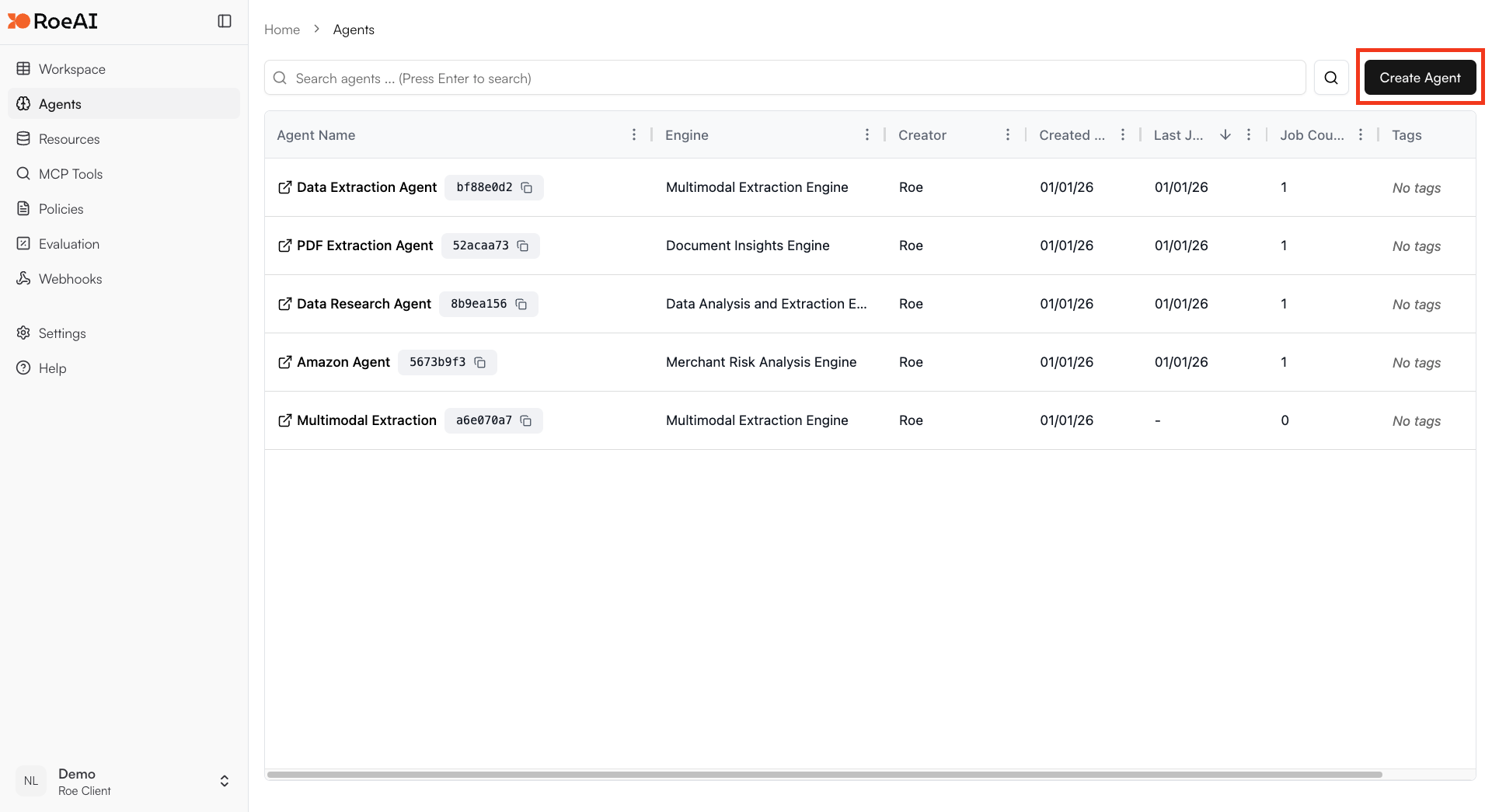
2
Select the Multimodal Insights Engine
3
Configure the engine for text extraction
$ starts a template string
- text: $text
- images: (leave empty)
- instruction: Analyze the text to extract key information and insights
- model: gpt-4.1-2025-04-14
- output_schema: Copy and paste the JSON schema below:
4
Create the Agent
Hit the Create button.
5
Run a job with text input
Create a new job and provide text content to analyze. The engine will extract structured information based on your output schema.
Image Extraction Example
Extract structured information from images:1
Create an Agent
Click on the “Add Agent” button and enter a name for your Agent.
2
Select the Multimodal Insights Engine
3
Configure the engine for image extraction
$ starts a template string
- text: (leave empty)
- images: $images
- instruction: Analyze the image and describe what you see in detail
- model: gpt-4.1-2025-04-14
- output_schema: Copy and paste the JSON schema below:
4
Create and run the Agent
Hit Create, then run a job by providing an image URL to analyze.