

Merchant Risk Analysis Engine Overview
The Merchant Risk Analysis Engine performs comprehensive risk assessments of merchants for payment processing, underwriting, and compliance purposes. It evaluates business legitimacy, online presence, social media, domain analysis, and potential risk factors.Engine Inputs
The Merchant Risk Analysis Engine Configuration has the following parameters:- merchant_url: optional. The merchant’s website URL to analyze. Required if merchant_address is not provided.
- merchant_name: optional. The merchant’s business name.
- merchant_address: optional. The merchant’s physical address. If provided without a URL, the engine will search Google Maps to find the official website.
- risk_assessment_config: optional. Configuration for which risk metrics to evaluate.
At least one of merchant_url or merchant_address must be provided.
Engine Output
The output includes a comprehensive merchant risk assessment:Example Usage
1
Create an Agent
Click on the “Add Agent” button in the top right corner of the Agents page.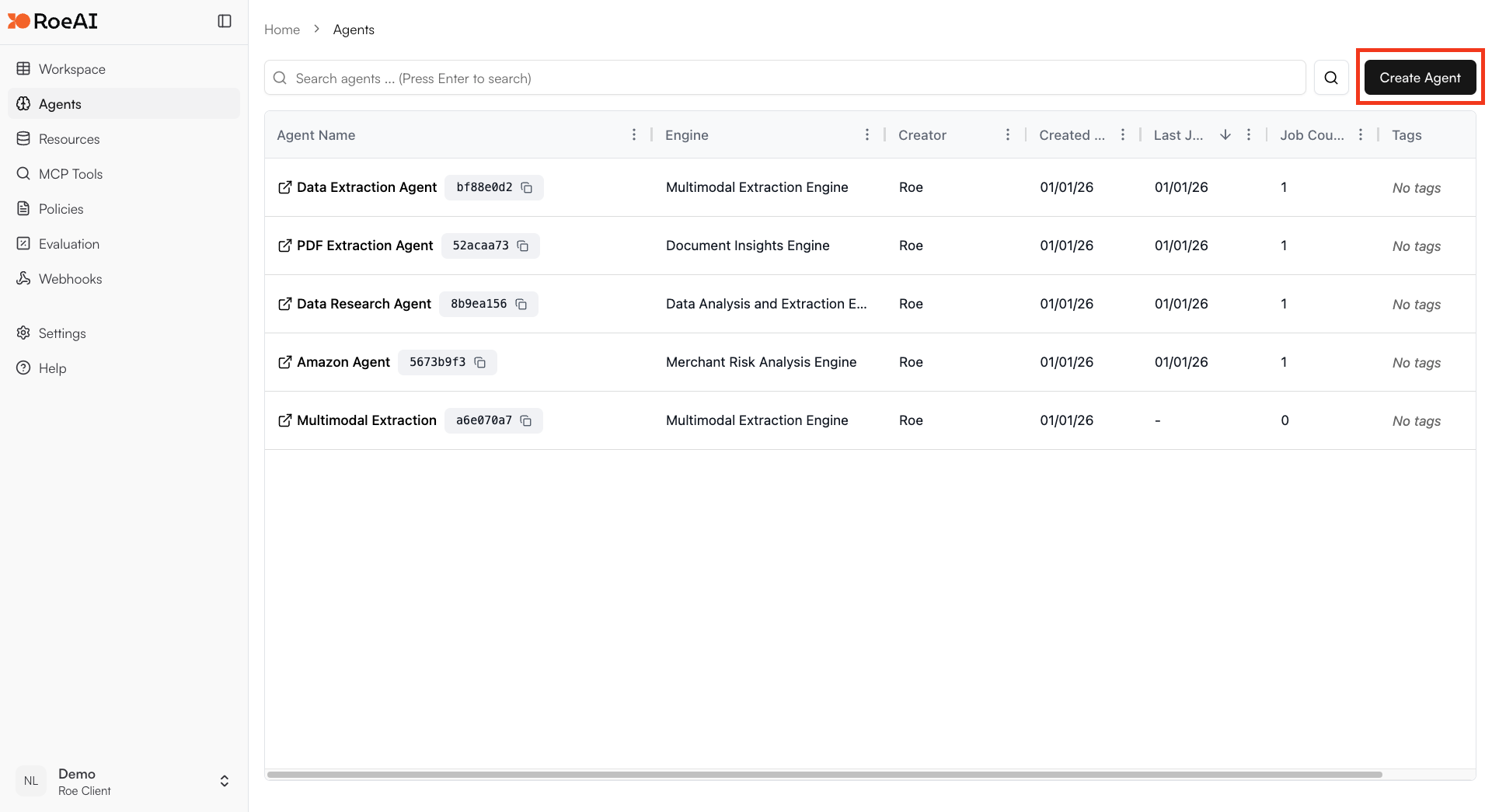
2
Select the Merchant Risk Analysis Engine
3
Configure the engine
$ starts a template string
- merchant_url: $merchant_url
- merchant_name: $merchant_name
- merchant_address: $merchant_address
4
Create the Agent
Hit the Create button.
5
Run a job
Create a new job and provide merchant information for risk assessment.
Risk Assessment Areas
The engine evaluates merchants across multiple dimensions:- Website Analysis: Content quality, legitimacy indicators
- Social Media Presence: Platform verification, activity patterns
- Domain Analysis: Registration history, WHOIS data
- Business Litigation: Legal history, court records
- Product Analysis: Product legitimacy, pricing patterns
Use Cases
- Merchant onboarding: Assess new merchants before approval
- Periodic reviews: Re-evaluate existing merchant risk profiles
- Compliance monitoring: Ensure merchants meet regulatory requirements
- Underwriting decisions: Support automated underwriting workflows
- Portfolio risk management: Assess overall merchant portfolio risk