

Merchant Underwriting Engine Overview
The Merchant Underwriting Engine is an agentic workflow that systematically evaluates merchant risk and legitimacy for onboarding decisions. It follows Standard Operating Procedures (SOPs) to analyze every category and flag, performing web research and data gathering to make informed underwriting verdicts.Key Capabilities
- SOP-Driven Analysis: Systematically evaluates merchants against your underwriting SOP guidelines
- Automated Evidence Collection: Performs web research and gathers supporting documentation
- Category-by-Category Analysis: Evaluates red flags and green flags per SOP category
- Structured Verdicts: Produces underwriting results with clear verdicts from your policy dispositions
Engine Inputs
The Merchant Underwriting Engine Configuration has the following parameters:- policy_version_id: optional. The Policy version ID containing your underwriting criteria and guidelines (SOP).
- merchant_context: required. Merchant name and any additional context or information about the merchant to underwrite.
- images: optional. Image URLs or file IDs (comma/newline/whitespace separated) for visual analysis.
- documents: optional. Document URLs or file IDs (comma/newline/whitespace separated) for document review.
Engine Output
The output is a structured JSON object containing:Policy Applied
Information about the SOP policy used for underwriting:name: Name of the policy appliedversion: Version ID of the policy applied
Underwriting Result
Complete underwriting analysis including:Investigation Findings Structure
For each rule evaluated, the output includes:rule_title: Title of the SOP rulerule_description: Description from the policyhit: Boolean indicating if this rule was triggeredreasoning: Explanation of the evaluationevidence_references: References to supporting evidence
Evidence Structure
Each piece of evidence includes:evidence_type: “web_link”, “screenshot”, or “artifact”evidence_data: URL or artifact referenceevidence_name: Short descriptive nameevidence_description: Why this evidence is relevant
Creating an Underwriting Policy
The Merchant Underwriting Engine requires a policy containing your Standard Operating Procedures. You can create policies using the Policies feature.Policy Structure
Your underwriting policy should contain:- Instructions: High-level guidance on merchant evaluation approach
- Guidelines: Organized as Categories > Rules
- Each Category (e.g., “BUSINESS_LEGITIMACY”, “FINANCIAL_STABILITY”) contains multiple Rules
- Each Rule has a
flagtype (GREEN_FLAG or RED_FLAG),title, anddescription
- Dispositions: Classification options for final verdicts (e.g., “Approved”, “Denied”, “Further Review”)
How It Works
The Merchant Underwriting Engine autonomously:- Loads the SOP - Retrieves and parses your underwriting policy
- Plans investigation - Creates a systematic plan to evaluate each SOP category
- Gathers information - Performs web research, analyzes documents and images
- Evaluates flags - Checks each red flag and green flag against gathered evidence
- Makes decision - Produces a verdict based on SOP dispositions with full evidence trail
Example Usage
1
Create an Underwriting Policy
First, create a Policy in the Policies section with your underwriting criteria, red/green flags, and decision dispositions.
2
Create an Agent
Click on the “Add Agent” button in the top right corner of the Agents page.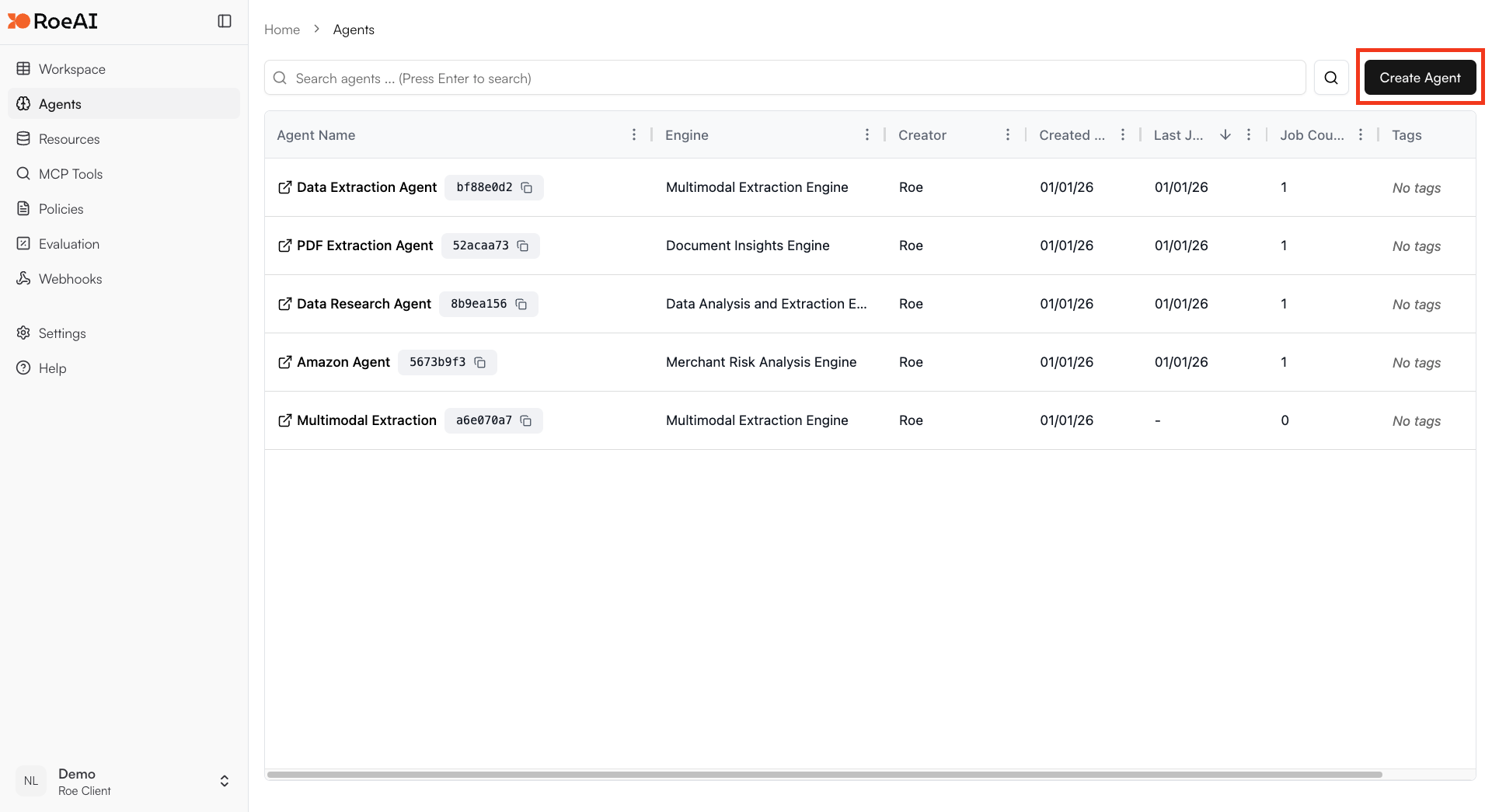
3
Select the Merchant Underwriting Engine
4
Configure the engine
$ starts a template string
- policy_version_id: (select your policy version)
- merchant_context: $merchant_context
- images: $images (optional)
- documents: $documents (optional)
5
Create the Agent
Hit the Create button.
6
Run a job
Create a new job and provide merchant information to evaluate. The agent will systematically analyze the merchant against your SOP and provide a structured underwriting decision.
Use Cases
- Merchant onboarding: Evaluate new merchants for payment processing or marketplace approval
- Risk assessment: Systematically assess merchant risk factors against your criteria
- Compliance review: Ensure merchants meet regulatory and business requirements
- Portfolio monitoring: Re-evaluate existing merchants based on updated SOPs