

Data Analysis Engine Overview
The Data Analysis Engine is an agentic workflow that intelligently orchestrates document/image extraction with optional web research and context source querying. The agent reasons about the best approach to extract information based on the provided instruction and content.Engine Inputs
The Data Analysis Engine Configuration has the following parameters:- text: optional. Text content to extract information from. Leave blank to extract from images only.
- images: optional. Image URLs or file IDs (comma/newline/whitespace separated). Leave blank to extract from text only.
- instruction: optional. Instructions describing what to extract or analyze from the provided content.
- output_schema: required. JSON schema defining the structure of data to extract. Follows the standard JSON schema specification.
- context_sources: optional. Define context sources (Snowflake, ClickHouse, Zendesk, etc.) for the agent to query during analysis.
At least one of text or images must be provided.
Engine Output
The output will be a JSON value matching the structure specified in the output_schema.Example Usage
1
Create an Agent
Click on the “Add Agent” button in the top right corner of the Agents page.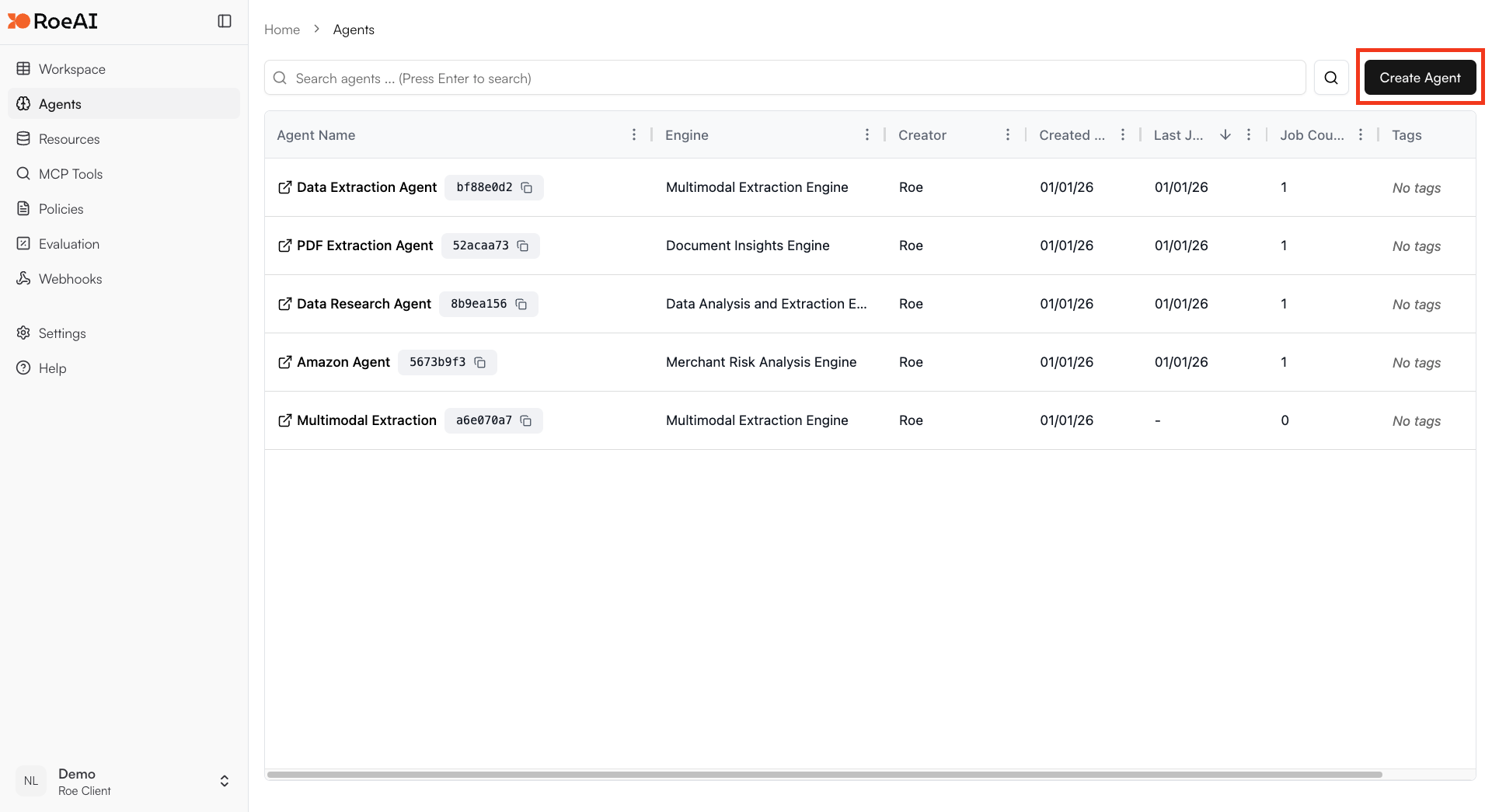
2
Select the Data Analysis Engine
3
Configure the engine
$ starts a template string
- text: $text
- images: $images
- instruction: Analyze the data and extract key insights
- output_schema: Copy and paste the JSON schema below:
4
Create the Agent
Hit the Create button.
5
Run a job
Create a new job and provide the data to analyze.
Capabilities
The Data Analysis Engine has access to multiple tools:- Extraction: Process text and images directly
- URL Finder: Search for relevant URLs
- Web Extraction: Scrape and extract from web pages
- Perplexity Search: Conduct web research
- Context Source Queries: Query connected Snowflake, ClickHouse, or Zendesk sources
Use Cases
- Business intelligence: Generate insights from business data with web enrichment
- Document analysis: Extract structured data from documents and images
- Research synthesis: Combine provided data with web research
- Multi-source analysis: Integrate data from context sources with provided content
- Report generation: Create automated data reports and summaries