> ## Documentation Index
> Fetch the complete documentation index at: https://docs.roe-ai.com/llms.txt
> Use this file to discover all available pages before exploring further.
# Input Definitions
> Define the inputs that your Agent will accept
## Overview
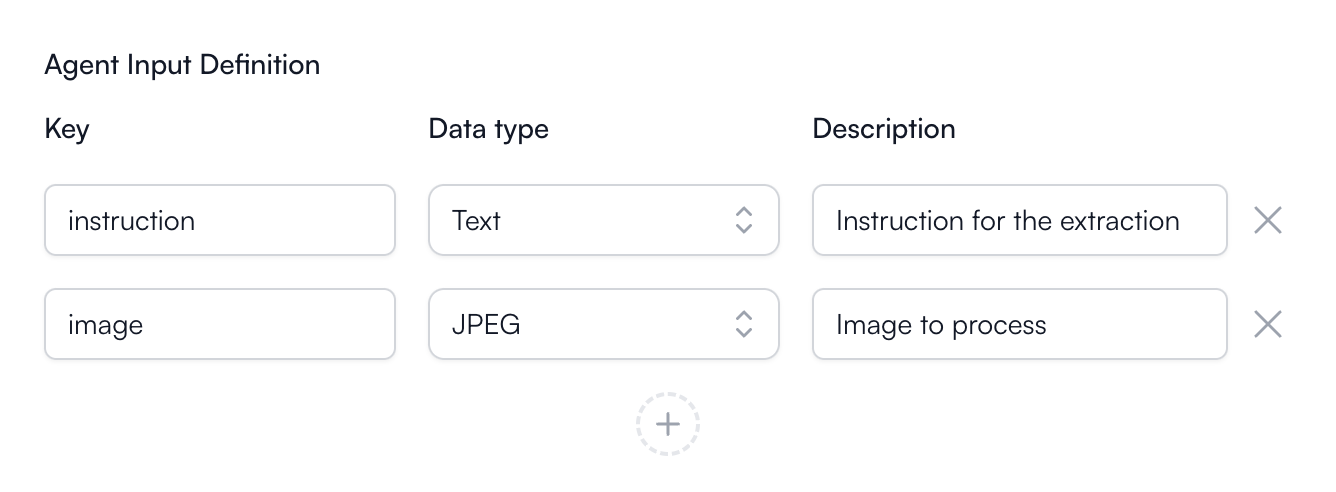 Each **Agent** can have a set of inputs that it accepts. These inputs can be
used as parameters for the **Engine Configuration** or provide data to the **Engine** powering the
**Agent**.
You can define the inputs that your Agent will accept by defining a required
**key** to identify the input and the **data type** of that input.
## Template Strings
Once the inputs are defined, you can use the keys in the
**Engine Configuration** to fill in the configurations. This allows you to
dynamically set the configurations based on the inputs provided to the Agent
at runtime.
To use the keys in the Engine Configuration, you can reference them using
template strings. For example, if you have an input key `prompt`, you can
use `${prompt}` or `$prompt` in the Engine Configuration to reference
the value of the `prompt` input.
Each **Agent** can have a set of inputs that it accepts. These inputs can be
used as parameters for the **Engine Configuration** or provide data to the **Engine** powering the
**Agent**.
You can define the inputs that your Agent will accept by defining a required
**key** to identify the input and the **data type** of that input.
## Template Strings
Once the inputs are defined, you can use the keys in the
**Engine Configuration** to fill in the configurations. This allows you to
dynamically set the configurations based on the inputs provided to the Agent
at runtime.
To use the keys in the Engine Configuration, you can reference them using
template strings. For example, if you have an input key `prompt`, you can
use `${prompt}` or `$prompt` in the Engine Configuration to reference
the value of the `prompt` input.
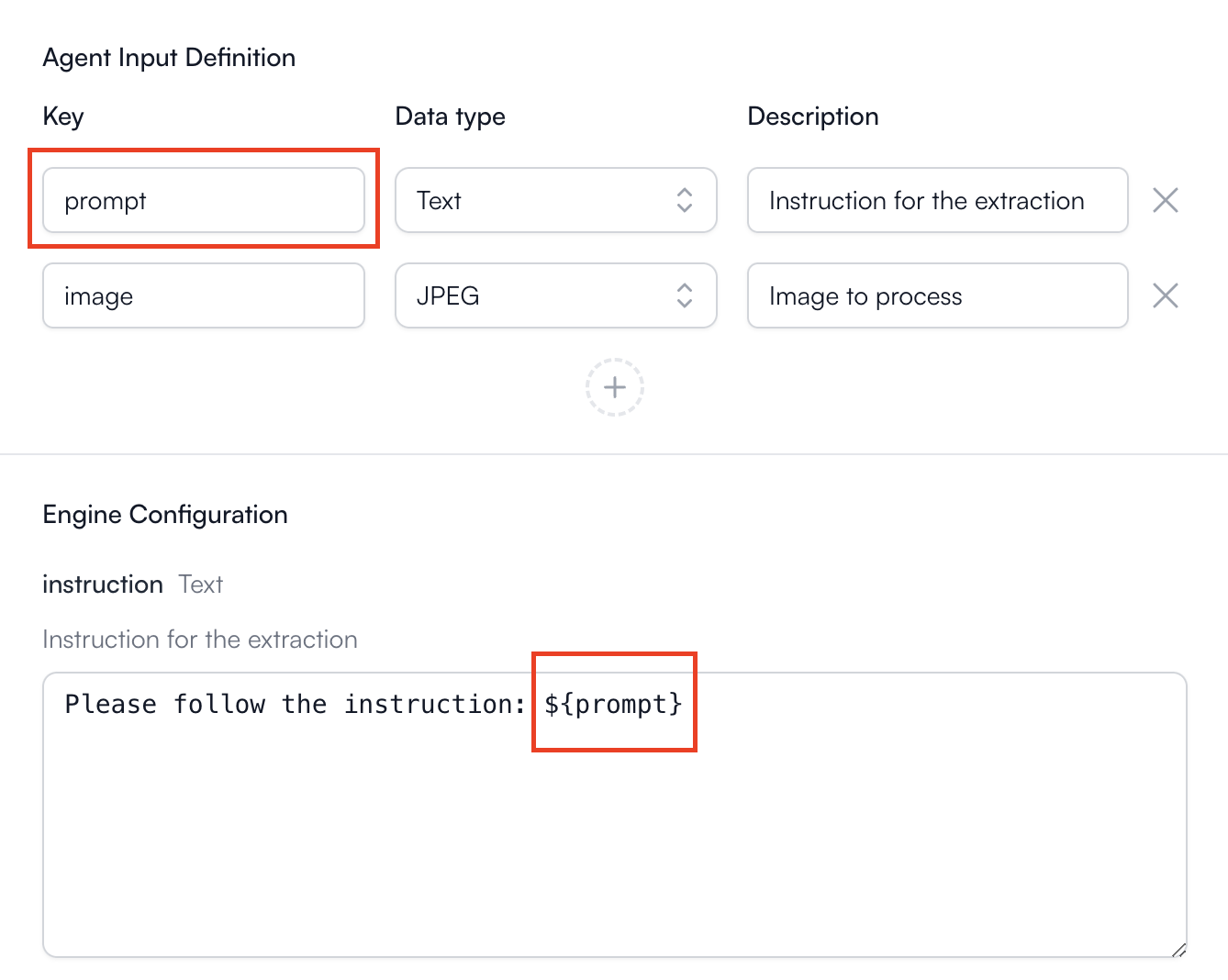 You can use multiple keys in one configuration. For example, if you have two
input keys `prompt1` and `prompt2`, you can use them in the configuration
like this `${prompt1} ${prompt2}`.
You can use multiple keys in one configuration. For example, if you have two
input keys `prompt1` and `prompt2`, you can use them in the configuration
like this `${prompt1} ${prompt2}`.
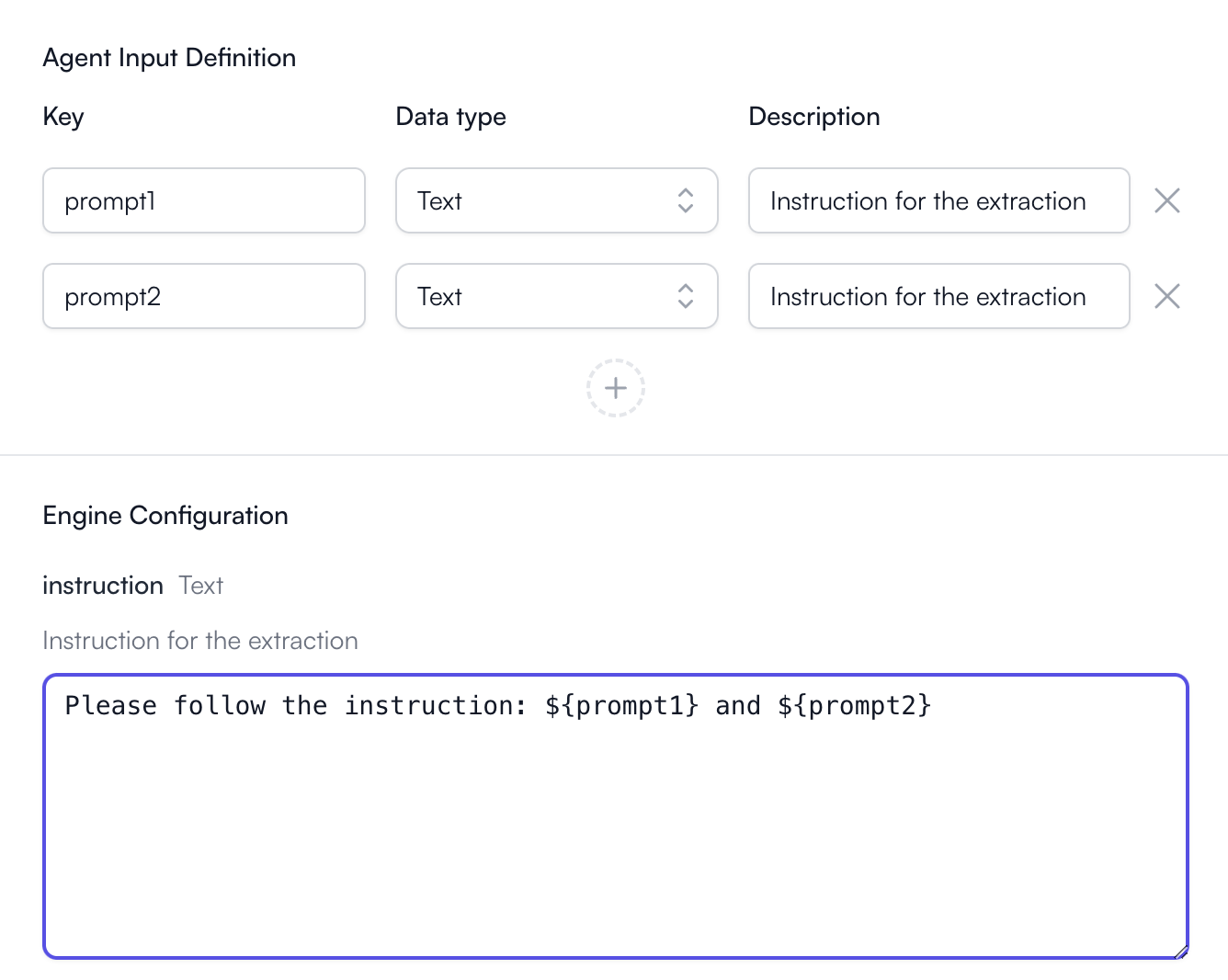 In this case if `prompt1` is `summarize the document` and `prompt2` is
`provide a list of speakers`, at runtime, the configuration will be filled
with
```
Please follow the instruction: summarize the document and provide a list
of speakers
```
## Types of Inputs
Each input and engine configuration can have a specific set of data types. The
agent input used in the engine configuration should match the types required.
Only text-based inputs and configurations support multiple keys in one
configuration. For all other types, only one key can be used in one
configuration and any other text in the configuration will be ignored.
In this case if `prompt1` is `summarize the document` and `prompt2` is
`provide a list of speakers`, at runtime, the configuration will be filled
with
```
Please follow the instruction: summarize the document and provide a list
of speakers
```
## Types of Inputs
Each input and engine configuration can have a specific set of data types. The
agent input used in the engine configuration should match the types required.
Only text-based inputs and configurations support multiple keys in one
configuration. For all other types, only one key can be used in one
configuration and any other text in the configuration will be ignored.