> ## Documentation Index
> Fetch the complete documentation index at: https://docs.roe-ai.com/llms.txt
> Use this file to discover all available pages before exploring further.
# URL Finder
> Searches for relevant URLs using text search, reverse image lookup, or both.
## URL Finder Engine Overview
The URL Finder Engine searches for the most relevant URLs using text-based Google Search, reverse image lookup via Google Lens, or both. It returns URLs with titles, snippets, and AI-scored relevance ratings.
## Engine Inputs
The URL Finder Engine Configuration has the following parameters:
* **search\_term**: *optional.* Search engine query to find relevant URLs. Required if search\_image is not provided.
* **search\_image**: *optional.* Image URL (http/https) or file identifier (file\_\*) for reverse image lookup using Google Lens. When provided, performs visual search.
* **description**: *required.* Description of the target URLs to be included in the search results. Used to score relevance.
* **search\_limit**: *optional.* Maximum number of search results to analyze (default: 5, range: 1-100).
* **top\_results**: *optional.* Number of best matching URLs to return (default: 1, range: 1-100). Must be less than or equal to search\_limit.
* **model**: *optional.* The AI model to use for relevance scoring (default: `gpt-5.1-2025-11-13`).
At least one of **search\_term** or **search\_image** must be provided.
See [Template Strings](/agents/input-definition#template-strings) for dynamic parameter configuration.
## Engine Output
The output is a structured list of discovered URLs with metadata:
```json theme={null}
{
"urls": [
{
"url": "https://example.com/page",
"title": "Page Title",
"snippet": "Brief description from search results",
"score": 0.95
}
]
}
```
## Example Usage
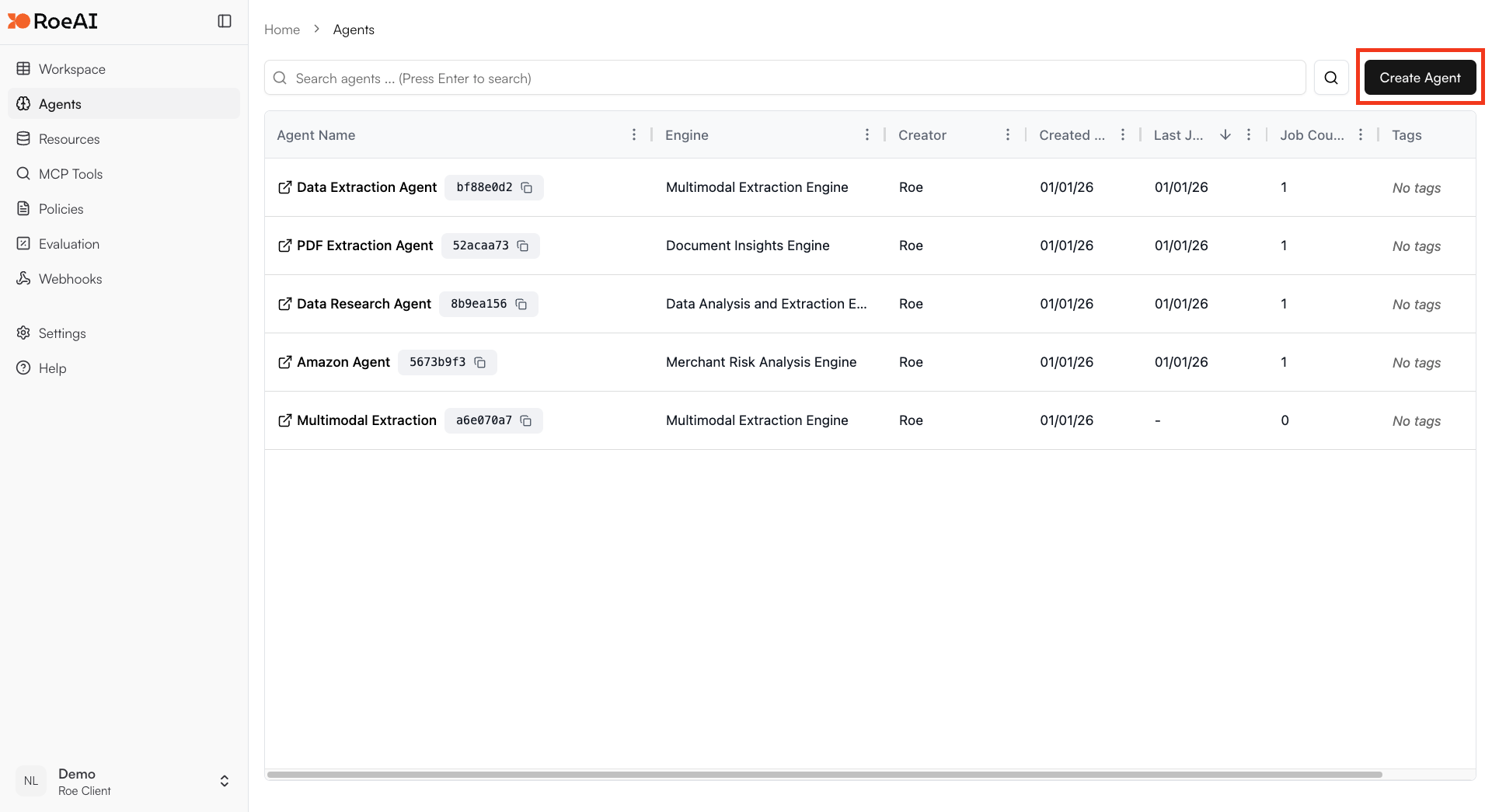
Click on the "Add Agent" button in the top right corner of the Agents page.
 Enter a name and an optional description of your Agent.
\$ starts a template string
* **search\_term**: \$search\_term
* **description**: Find the official product page for this item
* **search\_limit**: 10
* **top\_results**: 3
Hit the **Create** button.
Create a new job and provide a search term or image to find relevant URLs.
## Use Cases
* **Product matching**: Find product pages matching a description or image
* **Reverse image search**: Find the source of an image using Google Lens
* **Web crawling**: Discover relevant pages for further processing
* **Content discovery**: Find pages matching specific criteria
* **Data pipeline input**: Generate URL lists for batch processing with other engines
Enter a name and an optional description of your Agent.
\$ starts a template string
* **search\_term**: \$search\_term
* **description**: Find the official product page for this item
* **search\_limit**: 10
* **top\_results**: 3
Hit the **Create** button.
Create a new job and provide a search term or image to find relevant URLs.
## Use Cases
* **Product matching**: Find product pages matching a description or image
* **Reverse image search**: Find the source of an image using Google Lens
* **Web crawling**: Discover relevant pages for further processing
* **Content discovery**: Find pages matching specific criteria
* **Data pipeline input**: Generate URL lists for batch processing with other engines