> ## Documentation Index
> Fetch the complete documentation index at: https://docs.roe-ai.com/llms.txt
> Use this file to discover all available pages before exploring further.
# Data Analysis
> Performs AI-powered multimodal data analysis with web research and context source integration.
## Data Analysis Engine Overview
The Data Analysis Engine is an agentic workflow that intelligently orchestrates document/image extraction with optional web research and context source querying. The agent reasons about the best approach to extract information based on the provided instruction and content.
## Engine Inputs
The Data Analysis Engine Configuration has the following parameters:
* **text**: *optional.* Text content to extract information from. Leave blank to extract from images only.
* **images**: *optional.* Image URLs or file IDs (comma/newline/whitespace separated). Leave blank to extract from text only.
* **instruction**: *optional.* Instructions describing what to extract or analyze from the provided content.
* **output\_schema**: *required.* JSON schema defining the structure of data to extract. Follows the standard [JSON schema specification](https://json-schema.org/).
* **context\_sources**: *optional.* Define context sources (Snowflake, ClickHouse, Zendesk, etc.) for the agent to query during analysis.
At least one of **text** or **images** must be provided.
See [Template Strings](/agents/input-definition#template-strings) for dynamic parameter configuration.
## Engine Output
The output will be a JSON value matching the structure specified in the **output\_schema**.
## Example Usage
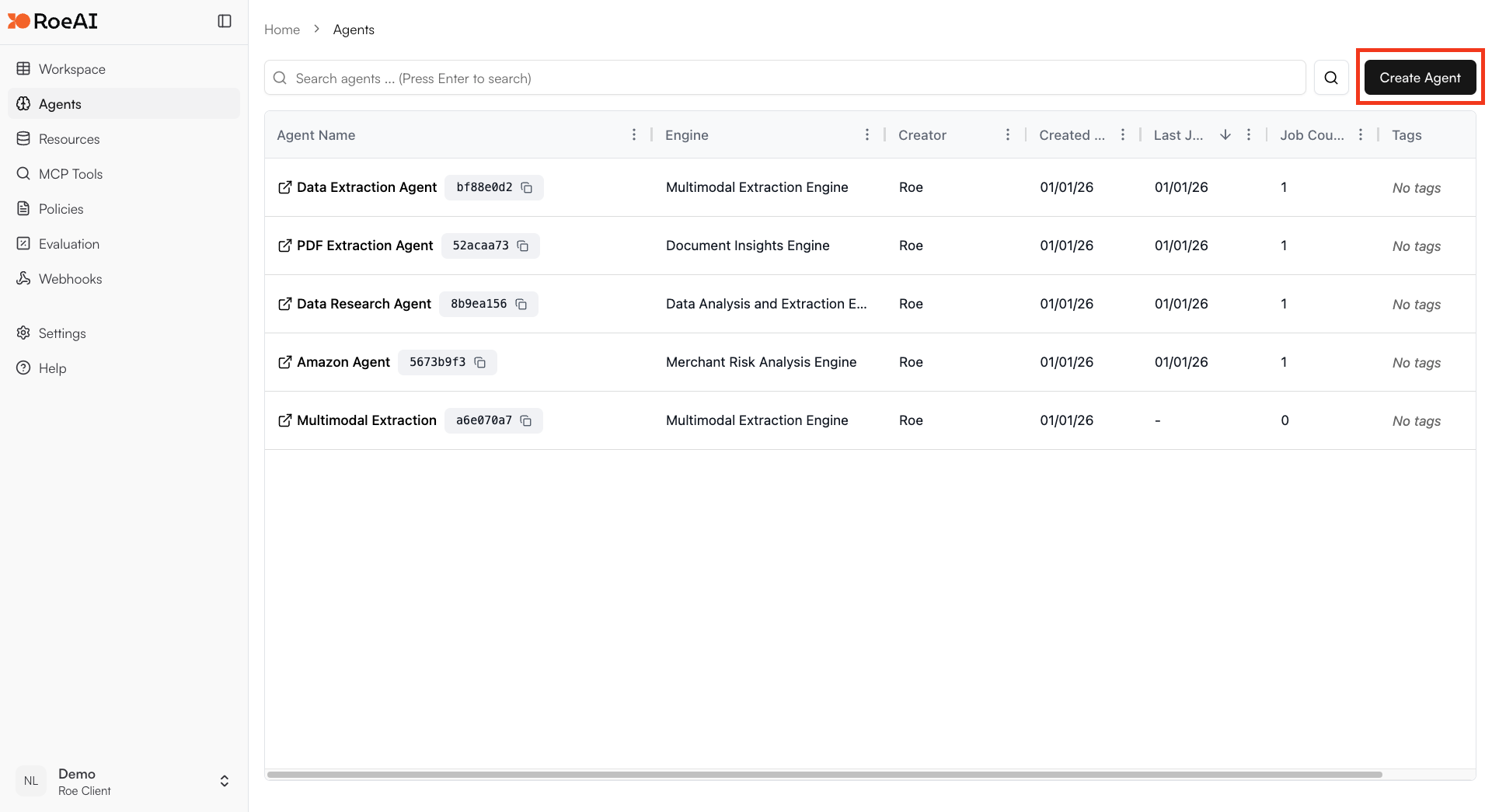
Click on the "Add Agent" button in the top right corner of the Agents page.
 Enter a name and an optional description of your Agent.
\$ starts a template string
* **text**: \$text
* **images**: \$images
* **instruction**: Analyze the data and extract key insights
* **output\_schema**: Copy and paste the JSON schema below:
```json theme={null}
{
"type": "object",
"properties": {
"summary": {
"type": "string",
"description": "Summary of the analysis"
},
"key_findings": {
"type": "array",
"items": { "type": "string" },
"description": "List of key findings"
},
"recommendations": {
"type": "array",
"items": { "type": "string" },
"description": "Recommended actions"
}
},
"required": ["summary"]
}
```
Hit the **Create** button.
Create a new job and provide the data to analyze.
## Capabilities
The Data Analysis Engine has access to multiple tools:
* **Extraction**: Process text and images directly
* **URL Finder**: Search for relevant URLs
* **Web Extraction**: Scrape and extract from web pages
* **Perplexity Search**: Conduct web research
* **Context Source Queries**: Query connected Snowflake, ClickHouse, or Zendesk sources
## Use Cases
* **Business intelligence**: Generate insights from business data with web enrichment
* **Document analysis**: Extract structured data from documents and images
* **Research synthesis**: Combine provided data with web research
* **Multi-source analysis**: Integrate data from context sources with provided content
* **Report generation**: Create automated data reports and summaries
Enter a name and an optional description of your Agent.
\$ starts a template string
* **text**: \$text
* **images**: \$images
* **instruction**: Analyze the data and extract key insights
* **output\_schema**: Copy and paste the JSON schema below:
```json theme={null}
{
"type": "object",
"properties": {
"summary": {
"type": "string",
"description": "Summary of the analysis"
},
"key_findings": {
"type": "array",
"items": { "type": "string" },
"description": "List of key findings"
},
"recommendations": {
"type": "array",
"items": { "type": "string" },
"description": "Recommended actions"
}
},
"required": ["summary"]
}
```
Hit the **Create** button.
Create a new job and provide the data to analyze.
## Capabilities
The Data Analysis Engine has access to multiple tools:
* **Extraction**: Process text and images directly
* **URL Finder**: Search for relevant URLs
* **Web Extraction**: Scrape and extract from web pages
* **Perplexity Search**: Conduct web research
* **Context Source Queries**: Query connected Snowflake, ClickHouse, or Zendesk sources
## Use Cases
* **Business intelligence**: Generate insights from business data with web enrichment
* **Document analysis**: Extract structured data from documents and images
* **Research synthesis**: Combine provided data with web research
* **Multi-source analysis**: Integrate data from context sources with provided content
* **Report generation**: Create automated data reports and summaries